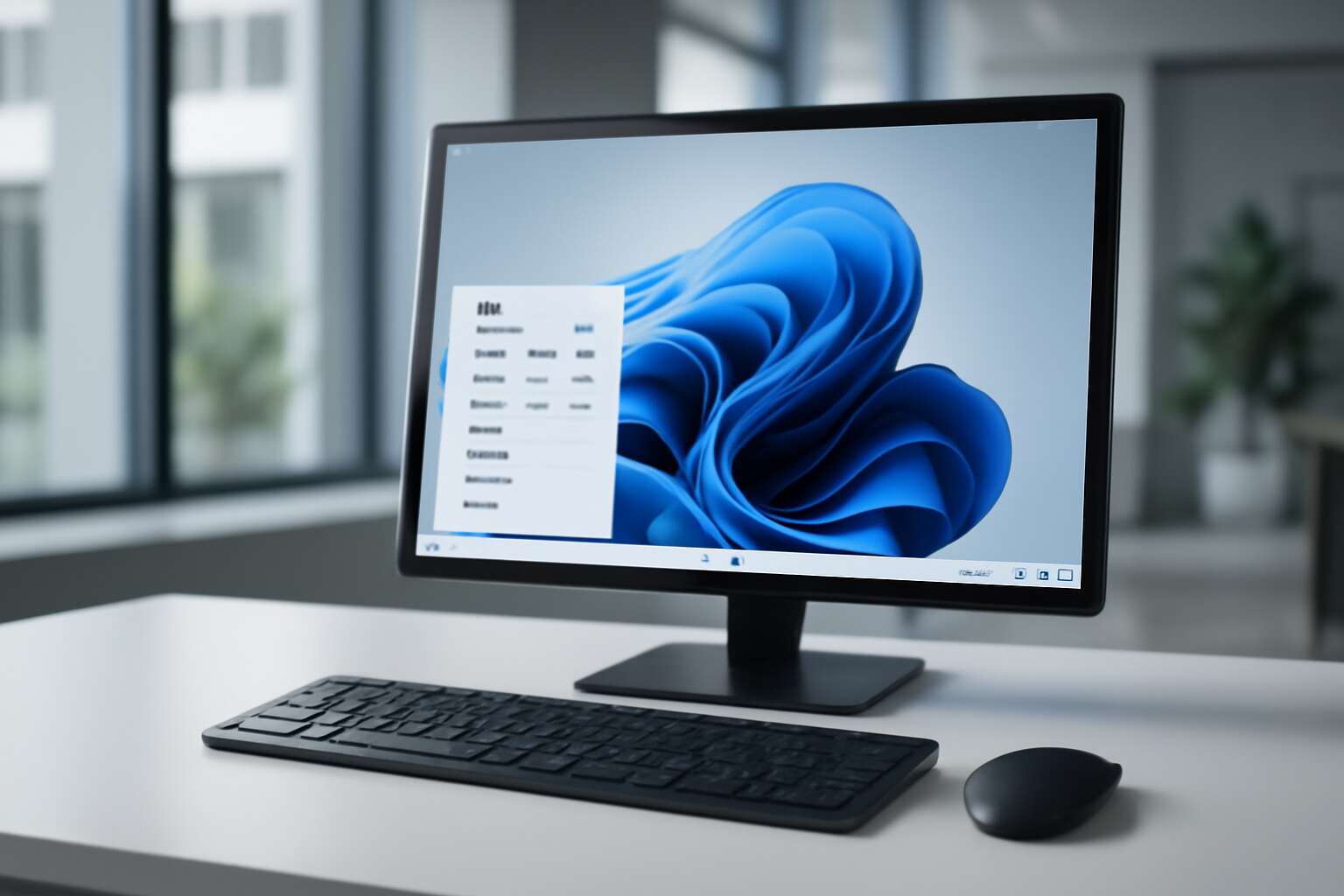
Choosing the Right Windows Desktop Computer
Understanding Your Needs – Gaming, professional work, general use, or multimedia creation
Choosing the right Windows desktop computer hinges on understanding what you need it for. Whether you’re a gamer, a professional, or someone seeking a versatile machine for daily tasks, the specifications that matter vary greatly. A gaming setup demands high-end graphics cards and fast processors, while professional work like graphic design or video editing requires robust RAM and dedicated graphics. For general use, a balanced configuration with reliable performance suffices. Multimedia creation, however, calls for powerful CPUs, ample storage, and high-resolution displays.
To navigate this, consider these key points:
- The primary purpose—gaming, work, or multimedia.
- Performance needs—processing power and memory.
- Budget constraints—matching features with affordability.
Understanding your needs ensures you invest in the appropriate Windows desktop computers, avoiding overspending and future-proofing your setup. In South Africa, where options are diverse, tailoring your choice to your specific requirements makes all the difference.
Key Specifications to Consider – Processor, RAM, storage options, graphics card
When selecting the perfect Windows desktop computers, understanding the core specifications becomes essential — because the difference between a sluggish machine and a powerhouse often boils down to the intricacies of its hardware. The processor, often dubbed the brain of the computer, dictates how swiftly your tasks are executed and how well your system can handle multitasking or demanding applications. A high-performance CPU, like an Intel Core i7 or AMD Ryzen 7, can transform your experience from frustrating delays to seamless efficiency.
Next, the importance of RAM cannot be overstated. For Windows desktop computers designed for multitasking or intensive work such as graphic design or video editing, 16GB or more is advisable. This ensures fluidity and responsiveness, especially when working with large files or multiple applications simultaneously.
Storage options are equally pivotal. Solid State Drives (SSDs) offer lightning-fast data access, which is invaluable in a market like South Africa, where speed and reliability are paramount. Combining SSDs with larger HDDs provides a balance of rapid access and ample space for multimedia files or project archives.
And amidst this, the graphics card plays a critical role, especially if gaming or multimedia creation is your focus. A dedicated GPU—such as NVIDIA GeForce or AMD Radeon—elevates your system’s capabilities, delivering stunning visuals and smooth rendering. When choosing Windows desktop computers, consider these key specifications carefully, as they form the foundation of a machine that truly meets your unique needs!
Form Factors – Tower desktops, all-in-ones, compact desktops
Choosing the right Windows desktop computer form factor is like selecting the perfect suit—one that fits your style, space, and purpose perfectly. In South Africa, where space is a premium and aesthetics matter, the decision becomes even more crucial. Whether you’re after a towering powerhouse or a sleek, space-saving marvel, the options are plentiful and surprisingly nuanced.
Tower desktops remain the heavyweight champions for those who need raw power and easy upgradeability. These behemoths offer ample room for high-end components, making them ideal for demanding tasks like multimedia creation or gaming. But if space is tight or you prefer a more minimalist approach, all-in-one systems combine the monitor and CPU into a single elegant package—think of it as the Swiss Army knife of Windows desktop computers, blending style with functionality.
For those who cherish compact living or work in tight spaces, compact desktops are a game-changer. They pack formidable hardware into a tiny footprint, perfect for the modern South African office or home. They often feature
- energy-efficient designs
- quiet operation
without sacrificing performance, giving you the best of both worlds in a sleek, unobtrusive package. Ultimately, the choice depends on your unique needs—whether it’s raw power, space efficiency, or a blend of both, Windows desktop computers come in a variety of form factors designed to meet every conceivable demand.
Top Features of Modern Windows Desktop Computers
Performance and Speed – Latest CPUs and SSD storage benefits
In the realm of modern computing, performance is the enchanted sword that cuts through the chaos of multitasking and demanding applications. Windows desktop computers now harness the latest CPUs, transforming your workspace into a powerhouse of speed and efficiency. These processors, infused with advanced architecture, deliver lightning-fast responses, making delays a thing of the past. Coupled with the magic of SSD storage, boot times and data access become swift currents flowing beneath your fingertips, elevating productivity to legendary heights.
Imagine a world where your digital endeavors are unencumbered by lag—where every click, every command, is executed with seamless grace. The latest Windows desktop computers are crafted for this very purpose. Their performance and speed are no longer just features but the core of their existence. From intricate design software to high-octane gaming, these machines ensure you stay ahead of the curve.
To fully appreciate these marvels, consider the benefits of their cutting-edge components. The inclusion of latest CPUs and SSD storage options means you gain:
- Accelerated data transfer speeds
- Enhanced multitasking capabilities
- Reduced load times for large files and applications
Graphics Capabilities – Integrated vs dedicated graphics cards
In the vibrant world of modern computing, graphics capabilities can turn a mundane task into an immersive experience. Windows desktop computers now offer a captivating blend of integrated and dedicated graphics cards, each with its own charm and purpose. Integrated graphics, seamlessly woven into the CPU, provide enough visual power for everyday tasks and casual multimedia use. Yet, when creativity or gaming demands elevate your expectations, dedicated graphics cards become your loyal allies, rendering visuals with remarkable clarity and speed.
Choosing between these options hinges on your digital pursuits. For those who crave high-octane gaming or intricate design work, a dedicated graphics card can transform your Windows desktop computers into a portal of vivid realism. Conversely, integrated graphics excel in conserving energy and reducing heat, perfect for routine productivity. The decision ultimately shapes your experience, unlocking new dimensions of performance and visual finesse.
- Enhanced rendering for creative projects
- Superior frame rates in gaming scenarios
- Real-time video editing with stunning detail
Whether you prefer the simplicity of integrated solutions or the power of dedicated graphics, modern Windows desktop computers are tailored to elevate your digital universe. Every pixel, every frame, is crafted with precision—making your workspace as enchanting as it is efficient.
Connectivity Options – USB-C, Thunderbolt, HDMI, Wi-Fi 6
In an era where seamless connectivity defines productivity, modern windows desktop computers offer an astonishing array of connectivity options that elevate user experience to unprecedented heights. With the proliferation of high-speed data transfer and instant communication, features like USB-C and Thunderbolt ports have become the cornerstone of efficient workflows, allowing users to connect multiple peripherals with ease and speed. These ports are not merely connectors—they are gateways to a world of possibilities, from high-resolution external displays to fast-charging capabilities.
Furthermore, HDMI ports ensure crystal-clear video output, transforming your workspace into a multimedia hub capable of supporting multiple displays or professional-grade presentation setups. Wi-Fi 6, the latest standard in wireless technology, guarantees faster, more reliable internet connections—crucial for remote work, cloud-based applications, and streaming high-definition content without lag. Here’s a quick overview of some top connectivity features you’ll find in leading windows desktop computers:
- USB-C and Thunderbolt for versatile data transfer and device compatibility
- HDMI ports for high-quality display connectivity
- Wi-Fi 6 for faster, more reliable wireless networking
Such advanced connectivity options ensure that every windows desktop computer encapsulates a future-proofed technological ecosystem—ready to adapt to the evolving demands of creative professionals, gamers, or enterprise users. The harmonious integration of these features underscores the commitment to delivering uncompromising performance and connectivity, transforming the digital landscape into a realm of limitless potential.
Upgradeable Components – RAM, storage, graphics cards
In the dynamic realm of technology, few features stand out quite like the upgradeable components of modern windows desktop computers. As innovation accelerates, the ability to tailor your machine to evolving demands becomes not just a luxury, but a necessity. Imagine a system where RAM, storage, and graphics cards can be upgraded—transforming your desktop from a capable device into a powerhouse of creativity or gaming excellence.
These upgrade options provide a significant advantage, especially for users who want to extend the lifespan of their investment. RAM upgrades enhance multitasking, enabling seamless operation even with demanding applications. Storage enhancements, whether SSDs or traditional HDDs, ensure faster data access and ample space for multimedia projects or large files. Graphics cards, a crucial element for gamers and creative professionals, can also be swapped out to boost rendering speeds and visual fidelity.
Some of the top features in this arena include:
- Upgradeable RAM modules for increased performance
- Flexible storage options, from SSDs to HDDs
- Dedicated graphics card slots for immersive visuals
By choosing a windows desktop computer with these upgradeable components, users unlock a future-proofed ecosystem—ready to adapt to new software, higher resolutions, and more complex workflows. The ability to customize and enhance hardware ensures your investment remains relevant in an ever-evolving digital landscape, making these systems the ideal choice for South African professionals, gamers, and creative enthusiasts alike. The true potential of a windows desktop computer lies in its capacity to grow with you, transforming challenges into opportunities with each upgrade.
Benefits of Choosing a Windows Desktop
Customizability – Hardware upgrades and software flexibility
Choosing a Windows desktop computer offers an unrivaled level of customizability that transforms a mere machine into a powerful extension of your creative or professional pursuits. Unlike all-in-one systems, traditional tower desktops allow for seamless hardware upgrades, ensuring your setup evolves with your needs. Imagine swapping out a graphics card or expanding your RAM—these straightforward enhancements keep your Windows desktop computer at the cutting edge without the need for an entirely new device.
This flexibility extends beyond hardware. Windows desktop computers also support a wide array of software options, enabling you to tailor your environment for optimal productivity or immersive entertainment. Whether you’re a professional in need of high-performance components or a multimedia creator demanding the latest in storage and processing speed, the ability to upgrade and customize ensures your system remains relevant and efficient for years to come.
Cost-Effectiveness – Better performance-to-price ratio
Investing in a Windows desktop computer often delivers a remarkable performance-to-price ratio, making it one of the most cost-effective choices for both individuals and businesses. Unlike laptops or all-in-one systems, Windows desktop computers provide the power needed for demanding tasks without breaking the bank. They often feature better hardware specifications at a lower cost, ensuring you get more bang for your buck.
Moreover, the ability to upgrade components such as RAM, storage, and graphics cards means your system can grow alongside your needs. This upgradeability extends the lifespan of your Windows desktop computer, saving you money over time. For those seeking high performance within a reasonable budget, these features make Windows desktop computers an unbeatable option—offering longevity and flexibility that few other systems can match.
Wide Software Compatibility – Running a variety of applications
In the realm of digital craftsmanship, the versatility of Windows desktop computers truly shines. Their expansive software compatibility is a gateway to endless possibilities, whether you’re designing intricate graphics, managing complex spreadsheets, or running specialized professional applications. Unlike other systems, Windows desktop computers boast a rich ecosystem of software—from legacy programs to cutting-edge innovations—ensuring you never hit a compatibility wall.
This seamless integration allows users to harness a diverse array of tools without the friction of constant workarounds. For instance, creative professionals can run Adobe Creative Suite with ease, while gamers enjoy the latest titles optimized for Windows. The ability to run multiple applications simultaneously, often with minimal lag, makes Windows desktop computers a powerhouse for multitasking and productivity.
Such broad software compatibility transforms a simple machine into a versatile command center—ready to adapt to your evolving needs. Whether you’re enhancing your home office, powering through demanding tasks, or exploring new creative horizons, Windows desktop computers deliver the robust performance and flexibility that professionals and enthusiasts alike cherish.
Popular Brands and Models of Windows Desktop Computers
Dell – XPS and Alienware series
When exploring the realm of windows desktop computers, few brands command as much respect and innovation as Dell. Their XPS series epitomizes sleek design combined with powerhouse performance, making it a favored choice for professionals seeking reliability and elegance. Meanwhile, the Alienware series has carved a niche among gaming enthusiasts, boasting cutting-edge graphics and superior processing speeds that elevate the gaming experience to new heights.
Both series exemplify the diverse capabilities of windows desktop computers, catering to different user needs with precision. The Dell XPS offers an excellent balance of form and function, perfect for multimedia creation and professional work. Conversely, Alienware desktops are engineered for high-performance gaming, featuring advanced graphics cards and high refresh rate displays. For those seeking customizability and future-proofing, these brands provide options that make upgrading components straightforward, ensuring your investment remains relevant for years to come.
HP – Omen and Envy series
When it comes to windows desktop computers, HP’s Omen and Envy series stand as testament to the brand’s unwavering commitment to innovation and versatility. These models have become staples in gaming and professional spheres alike, offering a tantalizing mix of power, style, and adaptability that resonates deeply with discerning users. The Omen series, with its aggressive design and cutting-edge graphics capabilities, caters explicitly to gamers craving immersive experiences and seamless frame rates. Meanwhile, the Envy series balances elegance with robust performance, making it ideal for creative professionals and everyday users seeking both form and function.
What sets HP apart in the crowded landscape of windows desktop computers is their focus on providing a broad spectrum of customization options. Whether opting for the formidable processing speeds of the Omen line or the sleek, upgrade-friendly architecture of Envy desktops, users can tailor their systems to meet exact specifications. This flexibility ensures that investments in HP desktops remain relevant, even as demands evolve or new software requirements emerge. For those who value both aesthetic finesse and technological prowess, HP’s offerings exemplify how windows desktop computers can be both a work of art and a powerhouse of productivity.
Lenovo – ThinkCentre and IdeaCentre
When exploring the realm of windows desktop computers, two brands stand out for their unwavering dedication to quality and innovation: Lenovo’s ThinkCentre and IdeaCentre series. These models exemplify the perfect balance between business robustness and consumer versatility, making them a popular choice across South Africa’s diverse tech landscape. Lenovo’s reputation for durability and reliability is well-earned, especially with their ThinkCentre line, which is renowned for its secure architecture and enterprise-grade performance.
The IdeaCentre series, on the other hand, caters more to families and creative professionals seeking stylish design paired with powerful specs. Whether you need a compact desktop that fits snugly into a home office or a more expansive unit equipped with upgraded components, Lenovo’s windows desktop computers offer a spectrum of options. For instance, many IdeaCentre models include features such as multiple USB-C ports and Wi-Fi 6 support, ensuring that connectivity remains seamless and future-proof.
- Flexibility in hardware upgrades, including RAM and storage, makes these desktops particularly appealing for users who want to adapt their systems over time.
- Additionally, their extensive software compatibility ensures that running diverse applications—be it for professional work or multimedia creation—is effortless.
In a market flooded with choices, Lenovo’s windows desktop computers stand out for their blend of durability, performance, and aesthetic appeal—proving that practicality and style can indeed coexist in the digital age.
Acer – Predator and Aspire series
When it comes to choosing the perfect windows desktop computers, few brands command the same respect as Acer. The Predator and Aspire series exemplify the brand’s commitment to innovation and versatility, offering options that cater to both gamers and casual users alike. Acer’s Predator line is renowned for its formidable graphics cards and high-performance processors, making it a favorite among South Africa’s gaming enthusiasts. These desktops are engineered to handle the most demanding titles with ease, thanks to dedicated graphics cards and ample RAM.
Meanwhile, the Aspire series strikes a charming balance between affordability and performance, ideal for those seeking reliable windows desktop computers for everyday tasks. Whether you’re working on multimedia projects or managing a home office, Aspire models provide a compelling mix of sleek design and powerful internals. Notably, many Aspire desktops include features such as multiple USB-C ports and Wi-Fi 6, ensuring seamless connectivity and future-proofing.
Acer’s broad spectrum of windows desktop computers demonstrates a keen understanding of user needs—be it for high-octane gaming or smooth productivity. For South African consumers, these models are prized for their durability, upgradeability, and aesthetic flair, proving that functionality and style are not mutually exclusive.
Custom-Built Options – Tailored builds for specific needs
In a realm where technology often feels like a shadowy labyrinth, selecting the right windows desktop computers can seem like deciphering an arcane puzzle. For South African connoisseurs seeking the perfect balance of power, prestige, and practicality, the world of brands and bespoke options beckons with dark allure. Among the titans, Dell’s XPS and Alienware series stand as formidable sentinels—crafted for those who crave both elegance and unrelenting performance. HP’s Omen and Envy lines whisper promises of gaming prowess and refined productivity, cloaked in sleek sophistication.
Yet, the true magic lies in custom-built options—tailored to carve out a digital sanctuary that is uniquely yours. These bespoke windows desktop computers can be forged with specific needs in mind, whether it’s to harness the raw power of the latest CPUs or to summon visual marvels through dedicated graphics cards. For those who dwell in the shadows of high-octane gaming or professional multimedia creation, custom builds offer a pathway into the unknown, where components can be upgraded, and performance can be pushed beyond mortal limits.
- Choosing high-performance processors
- Opting for ample RAM and swift SSD storage
- Incorporating dedicated graphics cards for immersive visuals
In this darkened landscape of possibilities, the allure of hardware upgrades and software flexibility becomes a siren song, drawing enthusiasts deeper into a world where functionality and style intertwine seamlessly. Whether you seek a beast of burden for demanding tasks or a sleek vessel for daily endeavors, the realm of custom-built windows desktop computers promises an experience as profound as it is hauntingly beautiful. South Africans, in particular, find these options compelling—offering durability, upgradeability, and an aesthetic flair that whispers of timeless sophistication amid the chaos of modern technology.
How to Set Up and Optimize Your Windows Desktop
Initial Setup Tips – Connecting peripherals, updating drivers
When setting up your Windows desktop computers, the thrill of transforming a blank slate into a powerhouse is undeniable. First, connect your peripherals—monitor, keyboard, mouse, and perhaps a printer or two—because without them, your shiny new Windows desktop computer is just a pretty paperweight. Ensuring all cables are properly plugged in and secured can save hours of frustration later.
Next, updating drivers is the secret sauce to optimize performance. Out-of-the-box drivers are often outdated or generic, so visit the manufacturer’s website or use Windows Update to snag the latest versions. This step guarantees your graphics, network, and audio functions perform at their peak, turning your desktop into a harmonious symphony of hardware and software.
For a smooth experience, consider this simple list:
- Check compatibility of peripherals
- Update all drivers immediately
- Configure your network settings for Wi-Fi 6 or Ethernet
- Customize your desktop environment for efficiency
With these initial setup tips, you’ll unleash the true potential of your Windows desktop computers, turning a generic device into a tailored workhorse or gaming battlestation—whatever your digital dreams may be!
Performance Optimization – System updates, cleaning software
Optimizing the performance of your Windows desktop computers isn’t just about adding extra RAM or swapping out that ancient HDD for a shiny SSD. It’s about creating a symphony of seamless operation where updates and maintenance work in perfect harmony. System updates are the backbone of this process, patching vulnerabilities and boosting performance. Skipping these is like leaving your windows desktop computers vulnerable to digital gremlins lurking in the shadows.
Next, cleaning software can be your best friend—removing unnecessary files, caches, and junk that slow down your machine’s mojo. Consider running a trusted cleaning utility every few weeks to keep your system lean and mean. For those who prefer a more hands-on approach, creating a regular schedule with built-in tools like Disk Cleanup and Defragmentation can work wonders. A well-maintained system not only speeds up tasks but also prolongs the lifespan of your beloved windows desktop computers.
To elevate your setup further, consider optimizing startup programs—disabling those pesky apps that launch at boot and hog resources. An ordered, clutter-free system is a happier, faster one. Remember, performance isn’t just about hardware; it’s about how well your system is tuned and maintained. When properly optimized, your Windows desktop computers transform from sluggish relics into agile champions of productivity and entertainment.
Security Measures – Antivirus, firewalls, backups
Every year, cyber threats grow more sophisticated, targeting vulnerabilities in Windows desktop computers that many users overlook. Securing your system isn’t just about installing an antivirus; it’s about creating a layered fortress that shields your data and maintains operational integrity. Effective security setup begins with choosing a reputable antivirus program—think of it as your digital watchdog—scanning for malware and suspicious activity around the clock.
Next, configuring the built-in firewall is crucial. Firewalls act as gatekeepers, controlling which applications can access the internet and preventing unauthorized intrusions. For added reassurance, consider setting up regular backups—a simple yet powerful step that ensures your important files are safe even if a breach or hardware failure occurs. You can opt for cloud backups or external drives, but the key is consistency.
Incorporating these security measures into your maintenance routine transforms your Windows desktop computers from easy targets into resilient workhorses. Remember, in the digital landscape, proactive protection is the best defense. Strengthening your security isn’t just a precaution; it’s a necessity for peace of mind in today’s interconnected world.
Future Trends in Windows Desktop Computers
AI and Machine Learning Integration – Smarter performance tuning
As the digital landscape evolves with astonishing velocity, the future of windows desktop computers is poised to become an intricate tapestry woven with the threads of artificial intelligence and machine learning. These innovations promise to elevate performance to unprecedented heights, transforming the way we interact with our devices. Imagine a system that intuitively learns your habits, optimising resource allocation and boosting efficiency without any manual intervention—this is the dawn of smarter performance tuning.
With AI-powered algorithms embedded into windows desktop computers, users can anticipate an era where hardware adapts dynamically to workload demands, ensuring seamless multitasking and reduced latency. The integration of machine learning will also enable predictive maintenance, identifying potential hardware issues before they manifest, and automating routine updates for enhanced security. As a result, the user experience becomes more intuitive, secure, and responsive, making these systems indispensable in both professional and multimedia creation environments.
Furthermore, future windows desktop computers will likely feature advanced, AI-driven graphics capabilities that optimise rendering based on the task at hand—whether gaming, 3D modelling, or video editing. This evolution not only enhances visual fidelity but also conserves energy, prolonging device longevity. The seamless fusion of AI and hardware innovation will undoubtedly redefine the boundaries of what is possible with modern desktop computing, ushering in an era of unprecedented efficiency and adaptability.
Increased Use of Cloud Computing – Hybrid setups and remote access
The future of windows desktop computers is increasingly intertwined with the expansive realm of cloud computing, transforming traditional setups into dynamic, hybrid ecosystems. As remote work and digital collaboration become the norm, more users are seeking seamless access to their systems from anywhere in South Africa. Hybrid configurations, combining local hardware with cloud services, offer unparalleled flexibility—allowing professionals to switch effortlessly between office and home environments. This trend not only boosts productivity but also enhances data security, as information resides securely both locally and in the cloud.
By harnessing the power of cloud integration, users can enjoy features like instant file sharing, remote desktop access, and automatic backups. These advancements make windows desktop computers more adaptable, especially in industries that demand mobility and real-time collaboration. The shift towards cloud-centric setups signifies a pivotal evolution in desktop computing, promising a future where efficiency and connectivity are seamlessly woven into the fabric of daily work and play.
Sustainability and Energy Efficiency – Eco-friendly materials and power saving
The future of windows desktop computers isn’t just about speed or sleek design; it’s about treading lightly on our planet while staying productive. As environmental awareness skyrockets, the spotlight shifts towards sustainability and energy efficiency in desktop computing. Manufacturers are now embracing eco-friendly materials, from recycled plastics to biodegradable circuit boards, turning the once-ordinary tower into a statement of green intent.
Power-saving innovations are also front and centre. Modern windows desktop computers come equipped with intelligent energy management systems that reduce power consumption without sacrificing performance. Features like automatic sleep modes and energy-efficient power supplies ensure that your desktop uses only what it needs—saving you money and reducing your carbon footprint. In South Africa, where energy costs and load shedding are no strangers, these advancements couldn’t come at a better time.
To make things even more compelling, some brands are adopting a holistic approach with
- solar-compatible hardware
- sustainable packaging
making their windows desktop computers a true ally in the fight against climate change. The shift towards greener technology isn’t just a trend; it’s a necessary evolution, promising a cleaner, smarter future for desktop users everywhere.




0 Comments