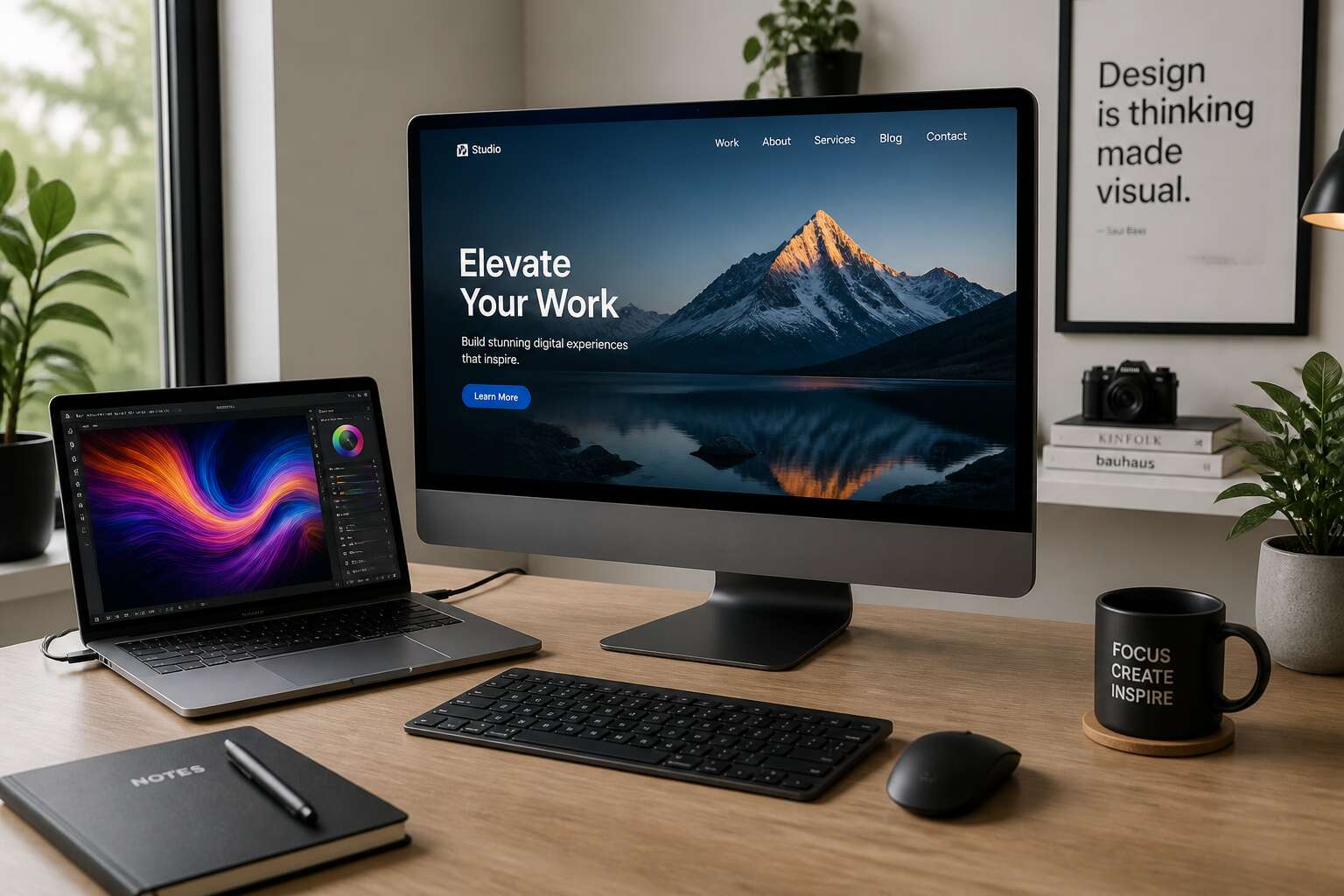
Understanding the Spectrum of Computing Devices
Mainframes, Supercomputers, and the Legacy of Big Iron
Mainframes still process roughly 70% of the world’s transaction data. That statistic unsettles anyone who thought the smartphone made big iron redundant. The reality is more layered.
Mainframes, such as IBM’s zSeries, emphasize input/output throughput over raw clock speed. Supercomputers pursue petaflops for climate modeling and molecular dynamics. These machines solve distinct problems.
Desktop computers and laptops are types of user-facing devices that rely on this hidden backbone. They connect via APIs, terminal emulators, and secure gateways. Banking, airline booking, and national health records still demand the resilience of mainframe architecture.
Consider where this legacy shines:
- Clearing houses that move billions in electronic funds daily.
- Reservation systems that cannot tolerate microsecond gaps.
- Telecommunications billing engines with years of call detail records.
These personal devices extend the reach of big iron, but they do not replace it.
The Personal Computer Revolution
The first personal computers were dismissed as hobbyist toys. That dismissal ended when spreadsheets proved they could balance budgets faster than any accountant. By the 1990s, the personal computer revolution had moved computation from guarded server rooms to kitchen counters and office desks across South Africa.
- Affordable hardware made ownership possible for small businesses and households.
- Graphical interfaces removed the need for deep technical training.
- Local software markets flourished as data processing became personal.
Today, desktop computers and laptops are types of tools people rely on daily for remote work, study, and entrepreneurship. Personal devices prioritise autonomy and direct interaction. They operate independently, respond instantly, and accept the software users choose. That independence emerged through decades of design and competition, and it remains the basis of everyday digital work.
Portable Devices and the Rise of Mobile Computing
Across South Africa, the smartphone in a commuter’s pocket now outperforms the desktop workstation that ran a 1990s accounting firm. That shift reshaped what “personal” means in personal computing. The spectrum of devices now spans far beyond the tower and the monitor.
Desktop computers and laptops are types of devices built for sustained, focused work. They offer processing power and comfortable ergonomics for study or business administration. Portable devices trade some of that raw capability for immediacy. Tablets and phones compress the experience into a hand-held format, syncing to the cloud so a document started in Sandton can continue on a train to Pretoria.
- Desktops anchor a workspace with upgradeable components.
- Laptops carry the same operating system between home and office.
- Phones and tablets handle urgent tasks during transit.
Mobile computing rose because connectivity outpaced hardware limitations. As mobile data became cheaper and more reliable across South Africa, millions encountered their first genuine computing experience through a pocket display. When I watch someone reconcile accounts on a phone, I see a shift that bypassed the desk entirely.
Wearables, Tablets, and the Internet of Things
The spectrum extends further still. Wearables wrap computing around the wrist or face, delivering notifications without demanding attention. The Internet of Things embeds connectivity into everyday objects, from Johannesburg office lights to Cape Town refrigerators.
Understanding this spectrum matters because desktop computers and laptops are types of devices that anchor serious work, yet they no longer define the entire ecosystem. A smartwatch tracks a heartbeat while a tablet sketches a blueprint. What a remarkable shift this is!
Consider the layers:
- Wearables capture biometric data
- Tablets offer portable creative canvases
- IoT sensors automate environments
Each device serves a distinct purpose. None exists in isolation. The spectrum rewards those who understand which tool fits which moment.
Desktop Computers: The Traditional Workhorses
Tower Cases, Mini PCs, and All-in-One Designs
Tower cases dominate engineering suites because they accommodate multiple graphics cards and hard drives. Mini PCs bring quiet computing to compact spaces like clinic reception areas. All-in-one designs appeal to executives who want a wireless desk without sacrificing screen size. In South Africa, the choice often reflects electrical stability; towers tolerate power surges better when paired with line conditioners.
Desktop computers and laptops are types of personal computing hardware that occupy distinct positions. Desktop systems prioritise longevity and upgradability, which suits tasks like 3D rendering or data processing. I have watched organisations save thousands by refreshing individual parts rather than replacing entire machines.
Consider these form factors:
- Tower cases: Best for performance and repair
- Mini PCs: Ideal for space-constrained setups
- All-in-ones: Simplify cable management
Each form factor adds value, but none replaces the flexibility of a dedicated workstation.
Interchangeable Components and DIY Upgrades
In South Africa, the desktop’s appeal rests on interchangeable components. A motherboard, power supply, and case form the skeleton, and each part can be swapped without soldering or proprietary tools. That design philosophy turns aging machines into modular platforms. Desktop computers and laptops are types of computing hardware, yet the desktop alone rewards patient upgrades with measurable gains.
I have seen a Johannesburg design studio extend a workstation’s life by three years. They replaced the graphics card, doubled the RAM, and added an NVMe drive. The cost stayed below a third of a new machine.
- Graphics cards and CPUs slide into standardized sockets.
- Storage bays accept 2.5 inch or 3.5 inch drives.
- Power supply units follow ATX sizing standards.
That ecosystem encourages experimentation. Enthusiasts overclock processors or install custom cooling loops, always aware that a failed experiment destroys only the affected component, not the whole system. Laptops seal their parts in solder and adhesive, making repair a specialist’s task.
Superior Cooling and Sustained Performance
In the Highveld summer, ambient temperatures climb past thirty degrees, and the air grows thick with dust. The desktop endures this climate with a quiet contempt. Desktop computers and laptops are types of machines that share silicon ancestry, but the desktop maintains airflow where the laptop struggles.
Cooling defines the difference. A desktop tower accommodates a 120mm fan at the rear, another at the front, and a tower cooler that rises above the CPU. The case creates a direct front-to-back path for air. That sustained airflow keeps clock speeds high and thermal throttling at bay.
- Larger heat sinks dissipate heat across a greater surface area
- Multiple case fans move air in a controlled direction
- Desktop towers allow additional cooling units without voiding a warranty
In a Johannesburg office, a rendering workstation can run at full load for eight hours. The temperature curve stays flat. A laptop under the same load begins to choke within minutes, its fans whining at the edge of despair.
Multi-Monitor Setups and Ergonomic Comfort
Three screens side by side turn a desk into a command centre. The desktop drives this arrangement with ease, running a spreadsheet, a browser, and a video feed without breaking stride. Desktop computers and laptops are types of machines that share the same silicon ancestry, but only the desktop treats multiple displays as a birthright. The portability that makes laptops so appealing becomes a limitation when you need a second screen, let alone a third.
Ergonomic comfort follows the same logic. A desktop monitor sits at eye level while the keyboard and mouse find their natural position. The modular nature of the setup means each component adjusts independently. This arrangement, repeated across thousands of offices in Sandton and Durban, keeps necks neutral and wrists straight. The laptop, by contrast, forces a compromise between screen height and typing posture. You prop it on a stand, then hunt for an external keyboard. The desktop tower disappears beneath the desk, leaving only the peripherals in view. That quiet subtraction of hardware from your immediate field of vision is the difference between working with a machine and working beside it.
Laptop Computers: Freedom and Flexibility on the Go
Ultrabooks, Chromebooks, and Gaming Laptops
Most South African professionals now carry their workspace in a backpack. This simple act changes everything! Desktop computers and laptops are types of tools that alter how we negotiate freedom and obligation. A laptop offers mobility without demanding a permanent desk. Yet the category splits into distinct personalities. Ultrabooks prioritize lightness and endurance. Chromebooks embrace cloud simplicity and speed. Gaming laptops chase raw performance at the cost of portability.
Before buying, examine your daily patterns:
- Ultrabooks suit frequent travellers
- Chromebooks serve students and web workers
- Gaming laptops fit intensive tasks and gaming
I have seen people make the wrong choice and suffer daily frustration. Understanding these nuances prevents that mistake.
2-in-1 Convertibles and Detachable Tablets
Desktop computers and laptops are types of machines with unequal claims on your presence. A desktop confines you to a room. A laptop releases you to the road. Hybrid forms complicate that division. 2-in-1 convertibles fold their keyboards away until only a touchscreen remains. Detachable tablets separate completely, leaving a standalone slab in your hand.
I have watched South African buyers choose incorrectly. The distinction carries real weight:
- Convertibles work for those who alternate between typing and touch.
- Detachable tablets suit those who prioritise lightweight handling.
Both refuse the old permanence of a fixed workstation.
Balancing Portability with Battery Life
Laptops shrink an entire workstation into a carry-on. They hold that illusion until the battery icon turns amber. In South Africa, load shedding ensures the moment arrives. The tradeoff between power and portability defines the category. Desktop computers and laptops are types of machines built around this compromise.
Consider what you actually carry:
- A lightweight ultrabook suits coffee shop work but struggles with sustained number crunching.
- A gaming laptop delivers raw performance and demands a charger within two hours.
- A business machine balances both and still fades by late afternoon.
Battery ratings come from dim laboratories. Real Wi-Fi, open apps, and screen brightness drain those numbers quickly. Portability loses meaning when the charger becomes a permanent companion.
Keyboard Comfort, Trackpad Precision, and Docking Stations
Keyboard comfort separates tolerable machines from the ones you reach for. Key travel, spacing, and feedback determine whether your hands ache after a long report. Trackpad precision follows the same logic. The best trackpads reject stray palm contact and track movement with precision. Desktop computers and laptops are types of machines that handle input differently.
Docking stations expand the laptop’s capabilities. One cable connects the device to dual monitors, a mechanical keyboard, and external storage. South African offices appreciate the instant transition from desk to meeting room, especially during load shedding. I have watched colleagues move from a dead battery to a full desktop setup in seconds. The setup supports a range of peripherals:
- Dual monitors for spreadsheets and code
- A mechanical keyboard for sustained typing
- External drives and wired ethernet
Desktop computers and laptops are types of investments that now overlap, and the dock makes a laptop feel permanent.
Desktops vs. Laptops: A Feature-by-Feature Comparison
Raw Performance and Processing Power
Raw performance separates these machines decisively. In 2024, desktop processors sustained clock speeds up to 20% higher than laptop equivalents under the same workload. This gap affects rendering, code compilation, and heavy simulation tasks.
Desktop computers and laptops are types of personal computing hardware, yet their architecture diverges sharply. A desktop accommodates a full-sized CPU and separate graphics card, while a laptop’s confined chassis limits power draw. For instance, a desktop processor might consume 125 watts, whereas a mobile version caps at 45 watts. That difference compounds over extended sessions.
Consider these performance drivers:
– Thermal headroom for uninterrupted boost clocks
– Swappable RAM and storage for capacity scaling
– Dedicated GPU slots for parallel processing
These elements translate into measurable speed advantages for desktops in multi-threaded workloads, making them the choice for professionals who demand unyielding responsiveness.
Upgradeability and Lifespan
Desktop computers and laptops are types of machines that age differently. A desktop from 2020 still feels relevant in 2026, not because its original parts were exceptional, but because you can swap them. The graphics card comes out. The power supply gets replaced. Storage fills up, so you add another drive. Laptops offer no such grace. Their components are soldered, glued, or proprietary. The machine you buy is the machine you keep until the whole unit fails.
This divergence shapes lifespan directly. A desktop’s upgrade cycle stretches beyond a decade. A laptop’s usable life often ends with its battery or hinge.
Some upgrades matter more than others:
- RAM capacity for expanding multitasking headroom
- Storage slots for adding high-speed NVMe drives
- GPU replacement for keeping pace with new rendering standards
That flexibility is the reason desktops remain relevant long after laptops have retired.
Total Cost of Ownership and Power Consumption
When you tally the total cost of ownership, desktop computers and laptops are types of investments with opposite profiles. A desktop draws more power per hour, especially under load, but its components cost less to replace. A laptop sips electricity, yet its proprietary parts and battery replacement can sting. That sting arrives sooner in South Africa, where prepaid electricity tariffs climb yearly and load shedding makes every watt count.
Power consumption shifts with use. A gaming desktop can pull 500 watts; a slim Ultrabook manages under 65 watts. Over three years, the gap compresses into real rand figures.
- Desktop: higher idle draw, lower upgrade pain
- Laptop: efficient idle, expensive repairs
So the desktop wins on lifetime value, while the laptop wins on monthly bills. Choose your poison, and your budget.
Matching the Right Machine to the Right User
Students and Remote Learners
Load shedding forces many students to rethink their computing setup. A laptop survives brief power cuts on battery, but a desktop offers more performance per rand. For remote learners, the choice is rarely about specs alone. It is about how and where you study.
desktop computers and laptops are types of personal machines that serve different daily rhythms. Students who move between libraries, cafes, and home need portability. Those who stay in one room, with a stable desk and intermittent power, can benefit from a tower’s steady presence.
Consider what your coursework demands:
– Virtual proctoring software favours certain hardware
– Engineering and design modules often need dedicated graphics
– Basic word processing and video calls need neither extreme
Your study habits should steer the purchase. Everything else is secondary.
Software Developers and Data Scientists
Software developers and data scientists face a different trade-off. Their daily tools demand sustained processing, large memory pools, and often a capable GPU. Desktop computers and laptops are types of machines that both appear in this field, but for different reasons. A developer working with containers and virtual machines benefits from a tower with multiple drives. A data scientist training models needs cooling and consistent power delivery.
The reality in South Africa is that load shedding disrupts both. A laptop with a solid battery and SSD handles interruptions without losing work. A desktop with a UPS protects long-running jobs. Some professionals visit clients or present at meetups.
Here are the practical considerations:
– CPU core count matters more than clock speed for compilation.
– RAM capacity determines dataset size for local processing.
– GPU memory dictates model complexity for AI experiments.
Choose based on your workflow, not on the latest hype.
Digital Artists, Video Editors, and 3D Animators
A single 4K render can consume an entire afternoon on the wrong hardware. Digital artists, video editors, and 3D animators face a tension between visual fidelity and workflow speed. Desktop computers and laptops are types of systems that handle this tension differently. A desktop with a calibrated monitor and a GPU offers stable performance for color grading and scene sculpting. A laptop provides the freedom to review edits on location or at a client’s studio.
For these creatives, specific components matter more than raw specifications:
- GPU memory determines how complex a 3D scene can be.
- RAM capacity affects multitasking with multiple applications.
- Storage speed influences playback and export times.
South African creatives also contend with load shedding, making battery life and uninterruptible power supplies critical for saving work mid-project.
Gamers, Streamers, and Content Creators
High refresh rates mean nothing when your stream drops frames mid-boss-fight. Gamers and streamers discover that desktop computers and laptops are types of machines with fundamentally different priorities. Desktops deliver sustained clock speeds and cooler temperatures. Laptops offer the freedom to compete from a café or a friend’s place.
Streaming adds another layer entirely. Running a game, OBS, and chat simultaneously demands serious multi-core muscle. GPU memory becomes precious, and South African load shedding makes an uninterruptible power supply a non-negotiable.
- A UPS keeps broadcasting alive through outages.
- A laptop battery provides a temporary buffer.
- Desktop power supplies handle voltage dips more gracefully.
Content creators editing gameplay need fast NVMe storage and ample RAM. Desktops allow expanding storage as footage accumulates. Laptops force compromise. Choose based on where you create, not what the spec sheet promises.
Business Travelers and Field Workers
For business travellers and field workers, the choice is clearer than the spec sheets suggest. Desktop computers and laptops are types of tools with opposite strengths. A laptop that lasts a full shift on battery power becomes essential when load shedding hits. A desktop simply waits for electricity that may not arrive.
Field conditions add pressure. Dust, heat, and constant movement punish components built for static desks. LTE connectivity matters more than processor speed. Ruggedised cases and hot-swappable batteries extend useful life far beyond what a tower can offer.
Practical priorities for this audience:
- Battery endurance measured in hours, not minutes
- Reinforced hinges and spill-resistant keyboards
- Integrated 5G or LTE for remote sites
Desktop computers and laptops are types of investments that age differently. For the traveller, the laptop earns its cost daily. The desktop remains a stationary luxury, powerful but anchored to a single room.
Home Office Users and Family Desktops
Home office users and family members share more than a Wi-Fi password. They share a space where deadlines and homework collide. Desktop computers and laptops are types of investments with very different practical strengths. A desktop in the corner stays put. It holds documents, backups, and memories without asking for a charge. For a family, that permanence matters.
- Shared accounts for easy access
- Separate profiles for privacy
- A single machine that everyone knows
An all-in-one unit takes less room. A tower offers more ports for printers and external drives. The trade-off is fixed position, but for a home office, that position is the point. When the workday ends, the same desktop becomes a homework station or a movie screen. It does not need to be packed away. It simply remains available for whoever sits down next.
Emerging Trends and the Future of Personal Computing
Cloud Computing and the Thin Client Resurgence
South Africa’s cloud market continues to expand at double digit rates, reshaping expectations for personal device performance. In response, thin clients are witnessing a resurgence, especially where infrastructure costs are high. These terminals depend entirely on remote servers, offering organizations a way to cut hardware expenses while maintaining security protocols.
- Simplified maintenance because all software resides centrally
- Improved data governance with respect to privacy regulations
- Flexible remote work capabilities for growing economies
Within this model, desktop computers and laptops are types of clients that require only enough local power to render screens and transmit inputs. The future belongs to hybrid systems that distribute workloads between the edge and the cloud. South African companies can benefit from this shift toward managed services and streamlined operations.
External GPUs, eGPUs, and Modular Laptop Upgrades
External GPUs, or eGPUs, are breathing new life into aging hardware while reshaping expectations for performance on the go. A single cable can transform a slim ultrabook into a workstation for video rendering, machine learning, or high frame rate gaming. The arrangement works in reverse as well, since desktop computers and laptops are types of devices that can share the same external enclosure across different tasks and locations.
Modular laptop upgrades are a more delicate matter. Some manufacturers now offer swappable graphics modules or socketed memory, though options remain limited compared to full sized desktops. For South African users facing import costs and currency fluctuations, the appeal is clear:
- Extend the useful life of premium hardware
- Reduce e-waste in a market with limited recycling channels
- Pay incrementally for upgrades instead of replacing entire machines
ARM Processors, AI-Driven Chips, and the New ARM vs. x86 Battle
Nearly every smartphone on Earth runs on ARM. That dominance is now moving beyond mobile. Desktop computers and laptops are types of devices where the architectural battle is heating up. AI-driven chips are changing what we expect from a personal computer. Instead of sending data to the cloud, a neural processing unit handles voice, vision, and predictive tasks locally. This reduces latency and protects privacy. For South African users, local AI also means less dependence on expensive international bandwidth.
The new ARM vs. x86 battle hinges on more than benchmarks. ARM offers exceptional power efficiency, which matters when electricity costs keep climbing. x86 still wins on raw compatibility and legacy software. But the gap is closing!
- ARM: efficiency, battery life, mobile integration
- x86: software support, upgradeability, raw performance
We are entering an era where the best chip depends on the task, not the brand.

0 Comments